Splines -- distance and model generation

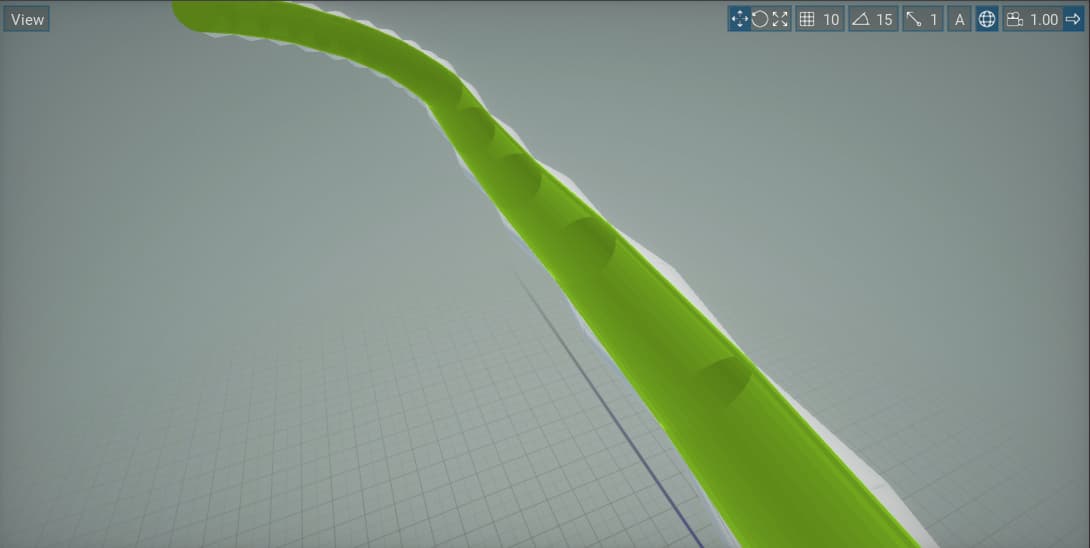
My game has a spline representing a procedurally generated track. However, I am having trouble calculating the distance along the spline. I tried using the time, but for some reason increasing the time of points scales the spline model. If I don’t change the time of points, however, my script has no way to find the “distance” along the spline at any given point.

Am I missing something about how splines are supposed to work?
What I need is a way to calculate points along a spline (between the points of the spline) if needed at given distance along the spline.

Also my splines model is also not rendering correctly. I am using just a cylinder mesh.
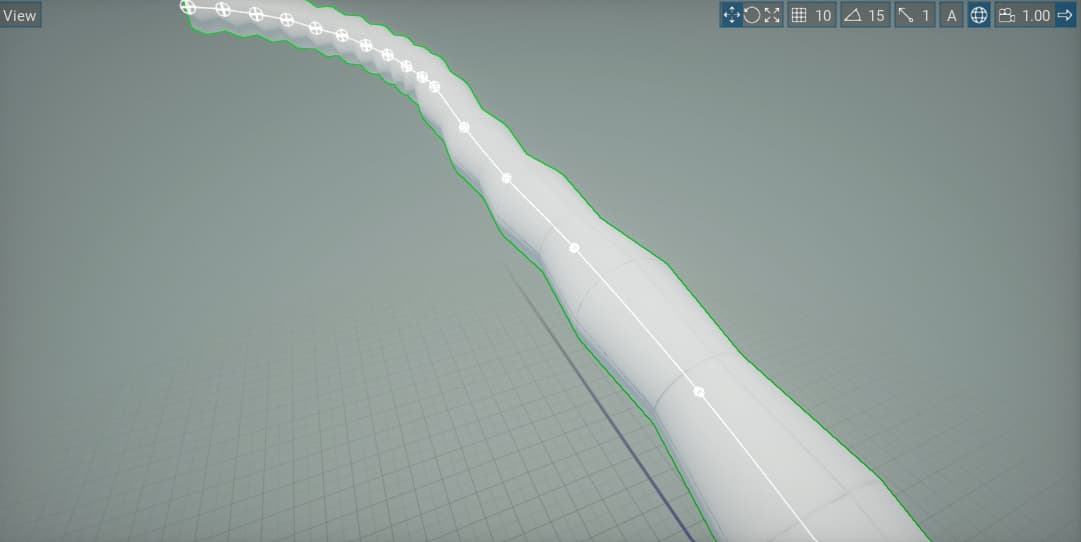


The mesh is bumpy for some reason yet the collider is nice and smooth.

2 Likes

Revisiting this project now, I have solved the bumpy mesh issue. I just needed more subdivisions in the mesh so it could conform.

I still am unsure of the best way to calculate the distance along a spline. In other words, I need to find a point between the points of the spline based on distance. The only property that seems to work for this is the time property, which some reason, affects the scale of the spline model sometimes.

Also, getting smooth angles is very difficult. If anyone had a demonstration or example of using the spline properly. I am trying to generate a procedural looping course/track out of it.

Wait, could i see the code if you don’t mind?
I’ve fiddled with splines a bit i might be able to help but what property are you calling to get the pos?

With the smooth angles (From what i can understand), try calling .SetTangentsSmooth(); on the spline after it has been generated.

Or if you wanted only specific parts, you would have to calculate the tangents yourself. I’ve made a sample script that auto smoothes the whole thing manually if you need an example.

Sorry, i got sick for a few days before i could post my code.

Here is the smooth code, i tried to comment it, but i’m still kind of sick so my thought process isn’t the best, let me know if this helps and you need better explaining.

using System;
using System.Collections.Generic;
using FlaxEngine;

namespace SplineGraphics;

/// <summary>
/// RopeSpline Script.
/// </summary>
public class RopeSpline : Script
{
    Spline self;
    /// <inheritdoc/>

    Transform[] splineTangents; 
    Vector3[] splinePoints;

    Transform finalIN, finalOut = new Transform();

    public override void OnStart()
    {
        //Initialize the local spline points
        self = Actor as Spline;
        splineTangents = new Transform[self.SplinePointsCount * 2];
        splinePoints = new Vector3[self.SplinePointsCount];
        finalIN.Orientation = Quaternion.Zero;
        finalIN.Scale = Vector3.One;
        finalOut.Orientation = Quaternion.Zero;
        finalOut.Scale = Vector3.One;
    }


    public override void OnLateUpdate()
    {
        self.GetSplineLocalPoints(out splinePoints);

        //Get the spline Tangents as a local reference
        for (int i = 0; i < splinePoints.Length - 1; i++)
        {
            splineTangents[i * 2] = self.GetSplineLocalTangent(i, true);//Tangent In
            splineTangents[(i * 2) + 1] = self.GetSplineLocalTangent(i, false);//Tangent Out
        }


        //Move the tangents between Point A and Point B, creating a simple (Maybe even janky) bezier smoothed curve
        for (int i = 0; i < splinePoints.Length - 1; i++)//Ignore the last one because it's easier to do manually outside the loop
        {
            splineTangents[(i * 2)].Translation = Vector3.Lerp(splinePoints[i], splinePoints[i + 1], -0.5f);//Move between current point and the next point backwards 50%
            splineTangents[(i * 2) + 1].Translation = Vector3.Lerp(splinePoints[i], splinePoints[i + 1], 0.5f);//move between current point and next

            self.SetSplineLocalTangent(i, splineTangents[i * 2], true);//Set the in tangent
            self.SetSplineLocalTangent(i, splineTangents[(i * 2) + 1], false);//set the out tangent
        }


        //Set final tangents position in world space
        finalIN.Translation = Vector3.Lerp(splinePoints[splinePoints.Length - 1], splinePoints[splinePoints.Length - 2], 1.5f);
        finalOut.Translation = Vector3.Lerp(splinePoints[splinePoints.Length - 1], splinePoints[splinePoints.Length - 2], -.5f);

        //Update spline tangents for final tangent
        self.SetSplineLocalTangent(self.SplinePointsCount - 1, finalIN, true);
        self.SetSplineLocalTangent(self.SplinePointsCount - 1, finalOut, false);
    }
}
1 Like

Thank you. I still have some issues with it being smooth, but it’s probably just down to my code not handling all orientations correctly. 3d is new to me.

Also, I’ve been looking at some math for calculating distance along a spline and found some helpful stuff in the Unreal forums: Get distance along spline from world location - #16 by Aakrasia - Programming & Scripting - Epic Developer Community Forums

3D math is tough to rap your head around, but it’s not as hard as it looks. It helps me to visualize the 3D space, Though that may be easier said than done (I’ve been working in 3D for almost 15 years).

For your point on the spline problem. Are you trying to find how far along the spline you are based on the current position?

Or are you trying to find a point on the spline based on a “Completion” Time (Let’s say they’re 50% of the way)

For the time based one, you can use .GetSplinePoint(time) However, from my testing it returns a Vector 3 between the spline relating to the current “second” (0-1 returns the first spline point, 1-2, returns the second spline point). So multiplying a % (0-1) by the number of spline points would result in the whole spline.

DebugObject.Position = self.GetSplinePoint(timer * (self.SplinePointsCount - 1));//Gets a Vec3 along spline based on %(0.0-1.0) Minus one due to array starting at 0

If however, you are just looking for the Length of the spline, there is a self.SplineLength Which returns the length of the spline, this can be used for time/acceleration based calculations (Allowing you to calculate how far (Percentage wise) you are based on distance IE: 64.23(Current Dist)/150.22(Spline Length)).

An example of above would be
Car.Position = self.GetSplinePoint((Car.DistanceTraveled / self.SplineLength) * (self.SplinePointsCount - 1));