
Compute Shader, What is happening and why doesn't swapping colors work?

EDIT: Changed kernal params to ‘uint3 groupID : SV_DispatchThreadID’ because google says this is “per-pixel”

So i have this simple Compute shader i was trying to develop to learn the stack, and… Am i doing something wrong? When developing it i noticed that only the reds were being implemented, and i messed around with it and maybe i’m just missing something? I knew a lot and used Unity Compute shaders a lot but this seems different so i don’t know if i’m doing something wrong or not.

Red = (1.0, 0.0, 0.0)
Green = (0.0, 1.0, 0.0)
Blue = (0.0, 0.0, 1.0)

Here is the shader:

#include "./Flax/Common.hlsl"
// Input texture to blur and the output texture to write to
Texture2D Input : register(t0);
RWTexture2D<float4> Output : register(u0);


META_CB_BEGIN(0, Data)
float3 Red;
float3 Green;
float3 Blue;
META_CB_END

// Compute shader blur function for horizontal pass
META_CS(true, FEATURE_LEVEL_SM5)
[numthreads(32, 32, 1)]
void CS_ColorShift(uint3 groupID : SV_DispatchThreadID)
{
    float3 TempColor = float3(0.0, 0.0, 0.0);
//Add new Red in intensity of input red
    TempColor.rgb += (Red * Input[groupID.xy].r);
//Add new Green in intensity of input green
    TempColor.rgb += (Green * Input[groupID.xy].g);
//Add new Blue in intensity of input blue
    TempColor.rgb += (Blue * Input[groupID.xy].b);

    Output[groupID.xy] = float4(TempColor.rgb, 1.0);  
}

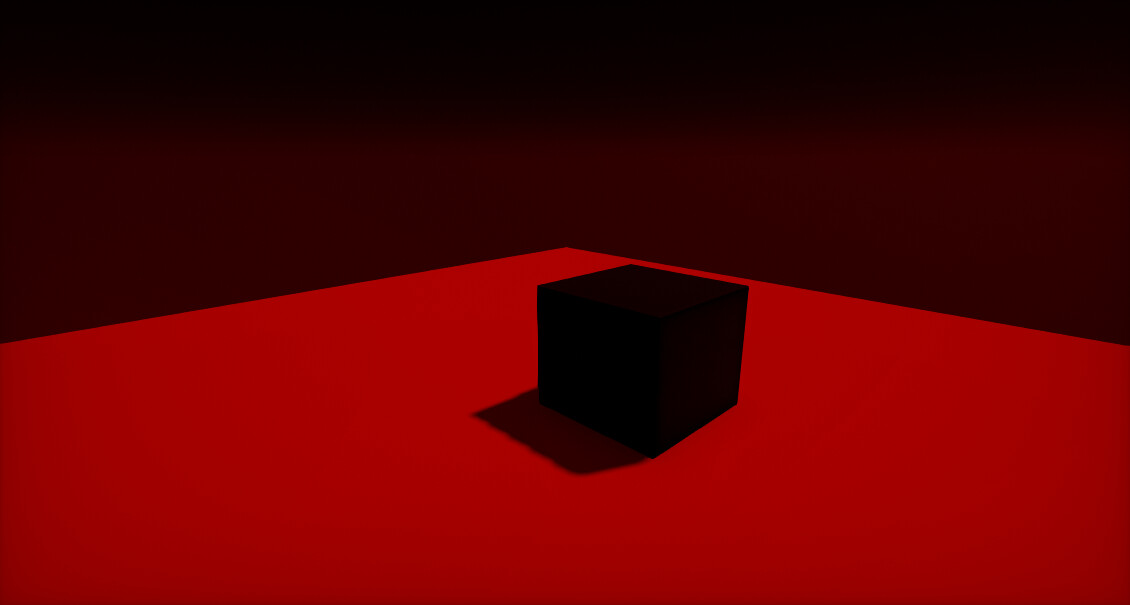
And here is what is happening:
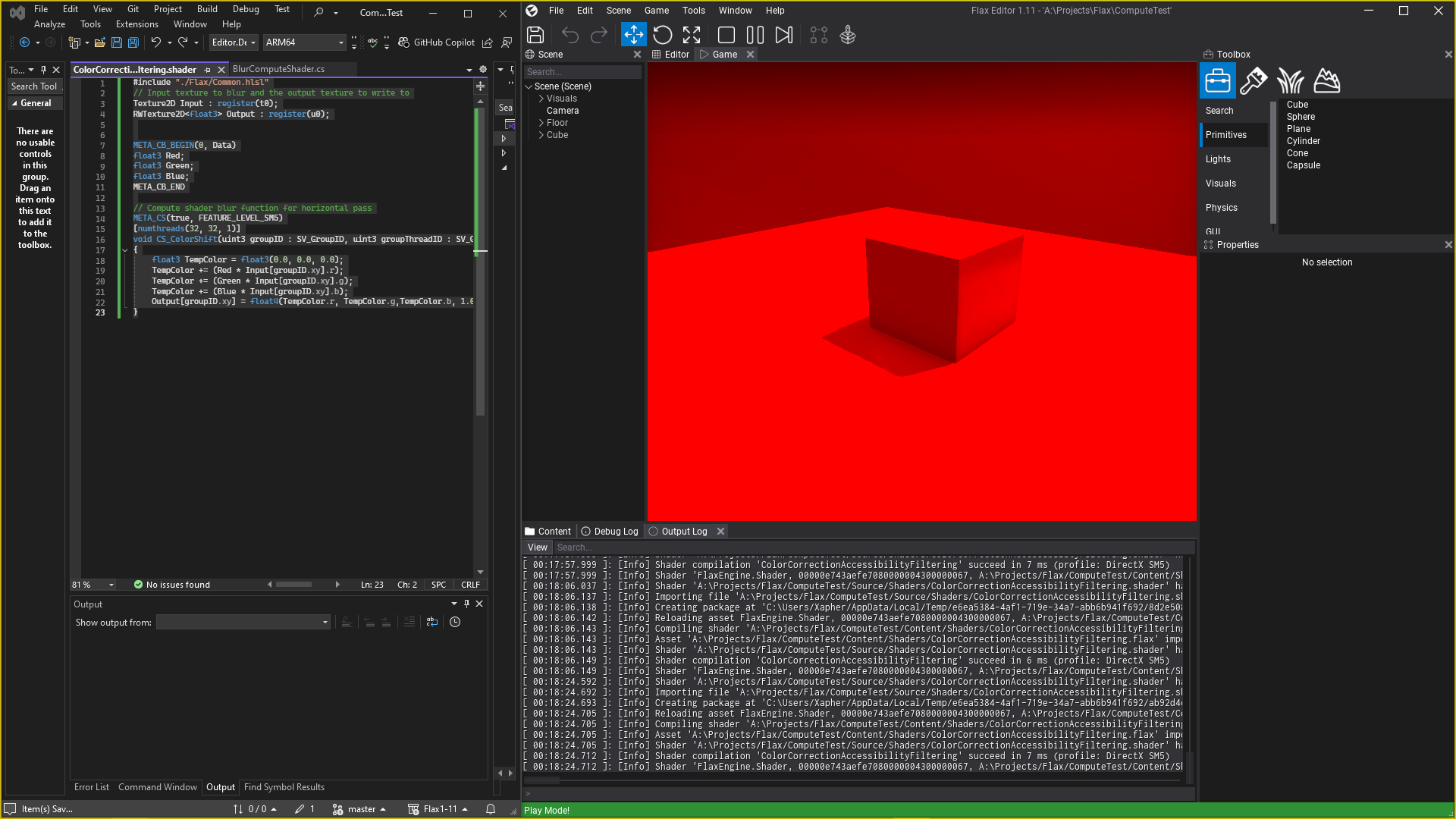

Why is it just red.
1 Like

As well as why doesn’t this work? This is what the title is referring to.

#include "./Flax/Common.hlsl"
// Input texture to blur and the output texture to write to
Texture2D Input : register(t0);
RWTexture2D<float4> Output : register(u0);

META_CB_BEGIN(0, Data)
float3 Red;
float3 Green;
float3 Blue;
META_CB_END
// Compute shader blur function for horizontal pass
META_CS(true, FEATURE_LEVEL_SM5)
[numthreads(32, 32, 1)]
void CS_ColorShift(uint3 groupID : SV_DispatchThreadID)
{
    Output[groupID.xy] = float4(0.0, Input[groupID.xy].r, 0.0, 1.0);  
}

With Output[groupID.xy] = float4(Input[groupID.xy].r, 0.0, 0.0, 1.0);

BUT with Output[groupID.xy] = float4(0.0, Input[groupID.xy].r, 0.0, 1.0);

Why, is the green black instead of green where the red is?

Okay so… Semi answer… but is i don’t feel like it’s supposed to work this way?

in this code:

#include "./Flax/Common.hlsl"
// Input texture to blur and the output texture to write to
Texture2D Input : register(t0);
RWTexture2D<float4> Output : register(u0);

META_CB_BEGIN(0, Data)
float3 Red;
float3 Green;
float3 Blue;
META_CB_END
// Compute shader blur function for horizontal pass
META_CS(true, FEATURE_LEVEL_SM5)
[numthreads(8, 8, 1)]
void CS_ColorShift(uint3 groupID : SV_DispatchThreadID)
{

    float3 TempColor = float3(Input[groupID.xy].r, Input[groupID.xy].g, Input[groupID.xy].b);

    Output[groupID.xy] = float4(0.0, TempColor.r, 0.0, 1.0);  
}

When running Output[groupID.xy] = float4(0.0, TempColor.r, 0.0, 1.0);

It is running it like this:
Output[groupID.xy].x = 0.0f;
Output[groupID.xy].y = TempColor.r;
Output[groupID.xy].z = 0.0f;
Output[groupID.xy].w = 1.0f;

But… for some reason when this is run Output[groupID.xy].x = 0.0f; , it is modifying TempColor.r to be 0.0f as well…

… I don’t know what this means…

I did see your reply, So apparently it’s not just Compute shaders then? I’ll wait on someone that might know what is happening and whether it’s a bug or not before i fill a report out on the github.

1 Like

have to apologize, and perhaps not the smartest user ever to get this amazing engine

the ’ scene texture ’ correctly outputs the normal image in the image port at the top of the node, or somehow a float1 that’s the greyscale value for each pixel after that, and somehow it’s because simply don’t know enough of the engine, or sort of how brilliant everything is that gave the wrong answer here

that’s sort of why deleted what wrote, and thought you deserved to know that, or that sadly also an adult partial autist, and sort of a moron to keep up with the rest of the world

:frowning_face: :beers:

red channel draws a sort of one color greyscale value at all

green channel draws nothing

blue channel does the same to out ’ zero ’ to draw simply a black screen, or that there’s nothing wrong with the engine

1 Like